
Best IPTV Canada: Complete Guide for Canadian Viewers
Looking for the best IPTV Canada option can be confusing when different services promote different channel counts, streaming qualities, devices, plans, and features. The right choice is not simply the service with the biggest number on its homepage. What matters is how well the service fits your viewing habits, device, internet connection, content needs, and expectations for customer support.
This guide explains the most important things to consider when comparing IPTV in Canada, including streaming quality, channels, compatible devices, IPTV players, pricing, setup, support, and trial options. The goal is to help you understand what to look for before choosing an IPTV service.
- What Is IPTV?
- What Makes the Best IPTV Canada Service?
- Streaming Quality and Reliability
- Channels and Content for Canadian Viewers
- IPTV Devices and Compatibility
- Choosing the Right IPTV Player
- IPTV Pricing and Subscription Options
- Customer Support and Setup Help
- Why an IPTV Trial Can Be Useful
- Internet Speed and IPTV Streaming
- How to Choose IPTV in Canada
- Frequently Asked Questions
What Is IPTV?
IPTV stands for Internet Protocol Television. It is a method of delivering television and video content through an internet connection rather than relying exclusively on traditional cable or satellite delivery.
Depending on the service and setup, IPTV can be used for live television, movies, series, video-on-demand content, electronic program guides, and other streaming features. The exact content and functionality depend on the IPTV service, playlist, application, and device being used.
Important: An IPTV player and an IPTV service are different things. A player is an application used to organize and play compatible content. The actual channels or playlists come from the service or source connected to the player.
This distinction is useful when comparing IPTV Canada options. A good player can make navigation easier, but it cannot fix problems caused by an unsuitable service, incompatible playlist, weak internet connection, or unsupported device.
What Makes the Best IPTV Canada Service?
There is no single IPTV provider that will be perfect for every viewer. Canadian households have different requirements, so it is better to compare practical features instead of choosing based only on a ranking or a large advertised channel number.
Streaming Quality
Look at HD, Full HD, and 4K availability while also considering the stability of your connection and the device used for playback.
Relevant Content
Focus on the channels, sports, movies, series, languages, and categories that you actually watch.
Device Compatibility
Make sure the service works with your Smart TV, Fire TV, Android TV, mobile device, or other preferred platform.
Customer Support
Responsive support can make setup and troubleshooting much easier, especially for users installing IPTV for the first time.
What Should the Best IPTV Canada Option Include?
A strong IPTV experience should combine suitable content, compatible devices, straightforward setup, useful playback features, reasonable plan options, and accessible customer support. Instead of looking for one perfect feature, compare the complete experience.
Streaming Quality and Reliability
Picture quality is one of the first things viewers notice. IPTV services may offer different resolutions, including HD, Full HD, and 4K. However, advertised resolution does not automatically guarantee identical performance for every user.
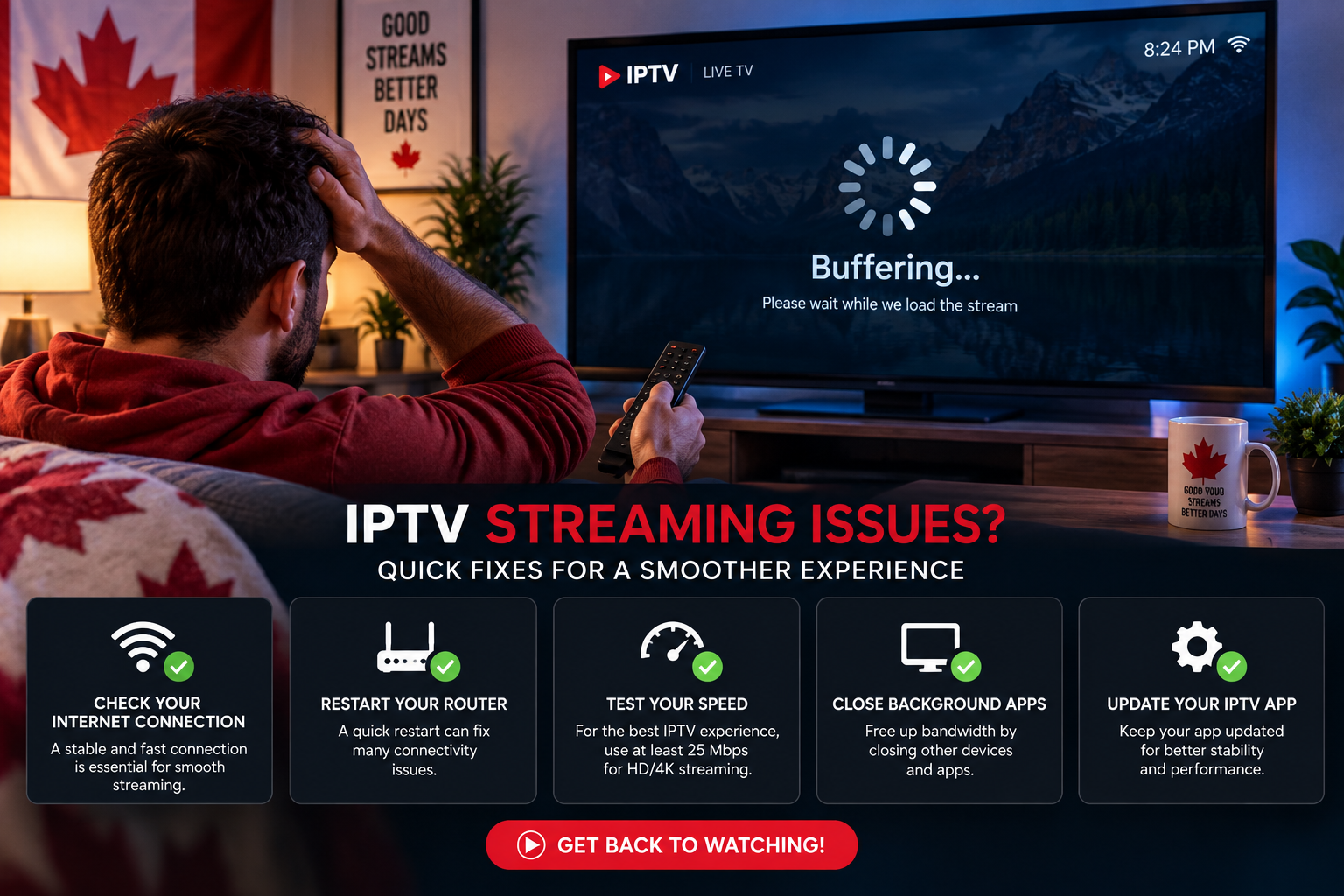
Your viewing experience can also depend on your internet connection, Wi-Fi quality, streaming device, IPTV player, source stream, network congestion, and television. That is why it is useful to evaluate the complete setup rather than judging a service from one specification.
- Test the service on the device you normally use.
- Check different channels instead of testing only one stream.
- Pay attention to performance during your normal viewing hours.
- Check whether your internet connection remains stable.
- Keep your IPTV application and device software updated.
- If possible, compare Wi-Fi with a wired connection on compatible equipment.
Channels and Content for Canadian Viewers
When comparing the best IPTV Canada options, think about what you actually watch. A viewer interested mainly in Canadian television may have completely different requirements from someone who watches sports, international programming, movies, or on-demand series.
| Viewing Need | What to Check |
|---|---|
| Canadian TV | Availability of the channels you regularly watch. |
| Sports | Relevant sports channels and live-event availability. |
| French Content | French-language channels and programming where required. |
| Movies | VOD organization, availability, and playback quality. |
| Series | Series categories and on-demand organization. |
| International TV | Countries, languages, and categories relevant to your household. |
A very large channel list is not automatically better. The more useful question is whether the content you want is available, organized properly, and performs well on your preferred device.
IPTV Devices and Compatibility
Device compatibility is another important part of choosing an IPTV service in Canada. Many viewers already have a Smart TV or streaming device, so it makes sense to check compatibility before buying additional hardware.
Smart TVs
Depending on the platform, IPTV applications can be available for compatible Samsung, LG, Android TV, and other Smart TV environments.
Fire TV & Firestick
Fire TV devices can support a range of IPTV players. Always check that the application is compatible with your specific device.
Android TV
Android TV provides access to several IPTV player options and is popular for users who prefer a TV-focused interface.
Phones & Tablets
Some IPTV players support Android and iOS devices, making it possible to use compatible services outside the main television.
You can also explore the dedicated IPTV Devices page to learn more about supported device options.
Choosing the Right IPTV Player
An IPTV player is the application that helps you load, organize, and play compatible IPTV content. Different players are designed for different devices and users, so choosing one that matches your hardware can make setup much easier.
Best IPTV Canada Setup: Which Player Should You Use?
There is no universal player that is perfect for every device. Some applications are designed mainly for Android TV, while others focus on Smart TVs, Fire TV, mobile devices, or cross-platform use.
Before installing a player, check whether it supports the playlist or login format supplied by your IPTV service and whether its interface works comfortably with your remote or touchscreen.
Remember: A player is generally a tool for playing compatible content. Always make sure the IPTV service and content you use are properly authorized for your location and intended use.
IPTV Pricing and Subscription Options
Price is an important factor when comparing IPTV services in Canada, but it should not be the only factor. The cheapest option is not necessarily the best value if it does not meet your content, device, or support requirements.
Before selecting a plan, consider the complete offer rather than focusing only on the headline price.
- Subscription duration and renewal terms.
- Supported devices and simultaneous-use conditions.
- Available content and categories.
- Streaming quality options.
- Trial availability where applicable.
- Customer support and setup assistance.
- Payment and cancellation information.
You can review the available options on the IPTV Plans page.
Customer Support and Setup Help
Customer support is often overlooked when people compare IPTV providers. In reality, support can be especially useful during the initial setup or when a user changes devices.
Buy8KIPTV.ca focuses on providing a straightforward experience and customer support for users who have questions about their service, devices, or setup. Having a team available to answer questions can make the process easier for beginners and users who are not familiar with IPTV applications.
Choose Your Device
Identify the television, streaming stick, Android device, or other platform you want to use.
Complete the Setup
Install a compatible player and follow the required setup instructions for your device.
Start Watching
Once your service and player are configured, organize your channels and preferred categories.
For detailed installation information, visit the IPTV Setup guide.
Why an IPTV Trial Can Be Useful
When a trial is available, it can give you a practical opportunity to test whether an IPTV service works well with your own device, internet connection, and viewing habits.
Instead of testing one channel for a few minutes, use the trial as you would normally use the service. Check different categories, switch between channels, test your IPTV player, and see how the setup behaves during your usual viewing hours.
- Test channel loading and switching.
- Check picture quality on your normal television.
- Try the electronic program guide if available.
- Test movies or on-demand content where available.
- Check the service on your preferred device.
- Ask support questions if you need setup assistance.
If you want to learn more about the available option, visit the IPTV Free Trial page.
Internet Speed and IPTV Streaming
Your internet connection can have a major effect on IPTV playback. Higher-resolution video generally requires more bandwidth, while several devices using the same network can increase the overall demand on your connection.
However, raw download speed is not the only consideration. Connection stability, Wi-Fi signal quality, router performance, network congestion, and the distance between your streaming device and router can also influence the experience.
Use a Stable Connection
A stable connection is often more important than simply having a high advertised speed.
Check Wi-Fi Quality
A weak signal near the television can affect playback even when your internet package is fast.
Consider Ethernet
A wired connection can be useful for compatible fixed streaming devices.
Reduce Network Load
Large downloads and multiple high-bandwidth streams can affect available network capacity.
How to Choose IPTV in Canada
The easiest way to compare IPTV services is to start with your own requirements. Instead of asking which provider is universally the best, ask which option fits your device, content preferences, budget, and support expectations.
Step 1: Identify What You Watch
Make a short list of the content that matters most to you. This might include Canadian television, sports, news, movies, series, French programming, or international channels.
Step 2: Check Your Device
Confirm that the IPTV service and player work with your Smart TV, Firestick, Android TV, mobile device, or computer.
Step 3: Check Streaming Quality
Look at available resolutions and test actual playback when possible. Remember that the final experience depends on your device, internet connection, and stream source.
Step 4: Test the Service
If a legitimate trial is available, use it on your normal setup. Test the channels and features you actually care about rather than relying only on promotional claims.
Step 5: Evaluate Customer Support
Ask questions when you need help. A responsive support team can make installation, configuration, and troubleshooting much easier.
Step 6: Compare Complete Plans
Compare the full plan details, supported devices, duration, features, support, and applicable terms instead of focusing only on the advertised price.
Frequently Asked Questions About Best IPTV Canada
What is the best IPTV Canada option?
The right option depends on your viewing needs, preferred channels, device, streaming requirements, pricing expectations, and customer support. It is better to compare these factors than to rely only on a ranking.
What should I look for in the best IPTV Canada service?
Look at content availability, streaming quality, device compatibility, IPTV player support, pricing, trial options, setup requirements, and customer support.
Can I use IPTV on a Smart TV?
Yes, compatible Smart TVs can support IPTV applications depending on the television platform and the application being used. Check compatibility before installing a player.
Can I use IPTV on Firestick?
Many IPTV players support Fire TV and Firestick devices. The exact setup process depends on the application and device version.
Do IPTV players include TV channels?
Not necessarily. An IPTV player is generally an application used to play compatible content from a separate source or IPTV service.
Is 4K IPTV better than HD IPTV?
4K provides a higher resolution than HD, but resolution alone does not guarantee a better viewing experience. Your television, device, internet connection, and stream quality also matter.
Why does IPTV sometimes buffer?
Buffering can be caused by an unstable internet connection, weak Wi-Fi, network congestion, device limitations, application problems, or issues with the stream itself.
Does Buy8KIPTV.ca provide customer support?
Yes. Buy8KIPTV.ca provides customer support for users who have questions about the service, devices, and setup. The support team can help customers with common questions and setup-related issues.
Finding the Right IPTV Option for Your Home
Finding the best IPTV Canada option is less about choosing a service because it has the biggest advertised number and more about finding an option that fits your own viewing habits.
Start with the content you actually watch, check device compatibility, consider your internet connection, compare complete plan information, and test the experience when a suitable trial is available. Customer support should also be part of the decision, especially if you are setting up IPTV for the first time.
Buy8KIPTV.ca is designed to provide a straightforward IPTV experience with helpful customer support. If you have questions about your device, setup, or service, the support team is available to help you through the process.
Need Help With Your IPTV Setup?
Explore the available devices, setup information, plans, and trial options, or contact the Buy8KIPTV.ca support team if you have questions.
View IPTV Setup Guide